Universal cookie compliance for any website.
Deploy privacy-first cookie consent, automatic tag blocking, and Google Consent Mode v2 to any website, framework, or CMS with a single asynchronous script or via the official Google Tag Manager template. For agencies, a partner account brings customer accounts and websites together across supported platforms.
QookieQloud for Custom JS
Why choose QookieQloud for custom websites.
Designed for developers, agencies, and web creators building modern web apps and headless platforms.
Automated Script Blocking
QookieQloud automatically detects third-party tags on your website and prevents them from firing until the visitor has granted consent.
Google Consent Mode v2
Full native support for Google Consent Mode v2 without any coding required. Keep your Google Analytics & Ads models accurate.
Scheduled Cookie Scanning
When you add new scripts or update your website, our scheduled audit scanner automatically discovers new cookies and flags changes.
Deploy to any website in 3 minutes.
No complex dependencies. One universal asynchronous script handles banner presentation, automated cookie blocking, and consent telemetry.

Register domain on QookieQloud
Create an account on app.qookieqloud.com and register your website domain to generate your secure site identifier.
Open app.qookieqloud.comEmbed script or use Google Tag Manager
Create a public Site Key for this domain, then paste the v2 loader before on your website, or deploy it with zero code changes using our verified Google Tag Manager template.
<script src="https://cf-cdn.qookieqloud.com/v2/consentLoader.js" data-site-key="qq_pk_..." defer></script>
Verify & Listen to Events
QookieQloud automatically verifies domain origin and blocks third-party scripts. Access visitor consent state anytime with the window.QookieConsent API.
window.QookieConsent.on("consent_update", (e) => console.log(e))
Complete consent telemetry and developer event API.
Track visitor acceptance rates by region, monitor active scripts, and trigger consent events directly in your front-end code with zero maintenance.
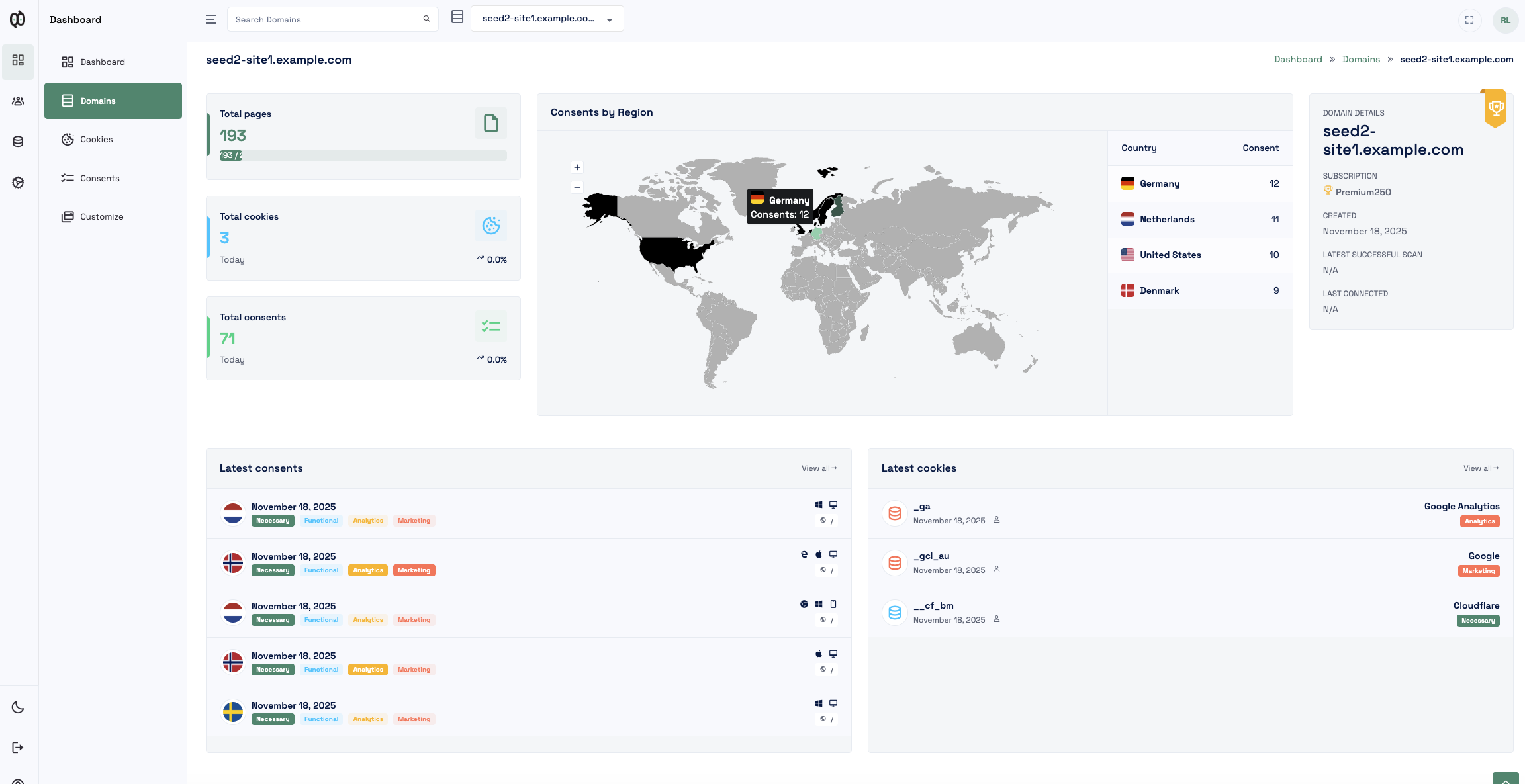
Universal Script Embed
Works seamlessly across Webflow, Framer, Next.js, Nuxt, Astro, React, Vue, PHP, and static HTML sites.
Google Consent Mode v2 & GTM
Synchronize ad and analytics storage updates seamlessly. Install directly in code or via our verified Community Template in Google Tag Manager.
JavaScript Event Bus
Listen and respond to consent changes in real-time with clean JavaScript event hooks.
Scheduled Cookie Scans
Scheduled audits automatically scan your published site and classify newly detected cookies 24/7.
Use QookieQloud in your project
One public Site Key. Choose whether to install the v2 script directly in code, via Google Tag Manager, or in a web app.
On a website
Create a public Site Key for your domain. Replace qq_pk_... below with your key and insert the script before </head>.
<script
  src="https://cf-cdn.qookieqloud.com/v2/consentLoader.js"
  data-site-key="qq_pk_..."
  defer
></script>
Via Google Tag Manager
Deploy with zero code changes. Add our verified template from the Google Tag Manager Gallery, enter your Site Key, and set the trigger to Consent Initialization - All Pages.
In a web app
Add the script once in your global index.html or shared layout, so it loads on every page.
Use your framework’s script-loading mechanism where required. Avoid adding a new script on every route change.
Your Site Key is public and domain-bound. It can be included in client code; private server keys must stay on the server.
Frequently Asked Questions about Custom JS.
Got questions about integrating QookieQloud with Custom JS? Here are quick answers.
Where do I place the QookieQloud script tag?
Paste the script snippet <script src="https://cf-cdn.qookieqloud.com/consentLoader.js"></script> inside the <head> tag of your HTML template, website builder (such as Webflow, Framer, Squarespace), or tag manager. Once loaded on your domain, QookieQloud immediately begins managing banner display and tag interception.
How can visitors reopen the consent settings modal?
By default, the floating Qookie Eyes icon automatically appears in the corner of your website, allowing visitors to reopen and adjust their preferences anytime. You can also trigger the modal from any text link or button using the data-qookie-open-settings attribute, or programmatically invoke window.QookieConsent.open().
Does QookieQloud support Custom JS, Google Tag Manager, React, and headless sites?
Yes. QookieQloud works with Custom JS, Google Tag Manager, React, and headless sites. For new installations, use API v2 with a public Site Key and the v2 script. API v1 can remain enabled while you migrate and verify v2. After v2 is working, disable API v1 in Settings → Connection because that is the safer production configuration. The Site Key alone is not enough: the v2 script must be installed on the website.
How do I generate a public Site Key for API v2?
Sign in at app.qookieqloud.com and open the domain that should use the banner. Go to Settings → Connection and choose Generate new Site Key. Confirm the dialog, then copy the key into the v2 script shown in step 2 of the Custom JS page. The Site Key is public and scoped to the domain. It only becomes active once the script is installed on the website.
Is there an official Google Tag Manager (GTM) template for QookieQloud?
Yes. QookieQloud has an officially verified tag template published in Google Tag Manager's Community Template Gallery: QookieQloud CMP - Cookie Banner & Consent Mode (by qodli-ab).
You can add it directly to your GTM workspace via Tag Configuration → Discover more tag types in the Community Template Gallery, and enter your public Site Key (qq_pk_...). The template automatically defines Google Consent Mode v2 default states (ad_storage, analytics_storage, ad_user_data, ad_personalization) and loads the banner script on the Consent Initialization - All Pages trigger. For step-by-step instructions, see our Google Tag Manager setup guide.
How do I resolve late consent signals and Google Tag Gateway (GTG) warnings?
If Google Tag Assistant or your debug console flags a "late consent" warning, follow these troubleshooting steps:
- Verify Google Tag Gateway (GTG) adoption: Check if your website routes Google tags through a CDN edge integration or server-side Google Tag Gateway (GTG).
- If GTG is adopted: Ensure that global consent default commands are dispatched prior to edge routing so tags receive default states immediately.
- If using standard Google Tag Manager: Verify that your QookieQloud GTM tag is configured to fire on the Consent Initialization - All Pages trigger so consent defaults are established before any other tags execute.
How do I integrate API v2 into a web app?
API v2 works with React, Vue, Next.js, Nuxt, Astro, and other client-rendered web apps. Add the v2 script to the app’s global HTML head, such as index.html or a layout file loaded on every page. The Site Key may be included in client-side code: it is public and scoped to the registered domain. Never put a private server key in the browser. Example: <script src="https://cf-cdn.qookieqloud.com/v2/consentLoader.js" data-site-key="qq_pk_..." defer></script>. Verify that the script loads on the correct domain, then disable API v1 under Settings → Connection.
Which trigger should be used for the QookieQloud tag in Google Tag Manager?
Always use the built-in Consent Initialization - All Pages trigger.
This trigger is designed specifically for Consent Management Platforms (CMPs). It executes before any other tags, measurement scripts, or container events run on the page. This guarantees that Google Consent Mode v2 default signals (denied) and wait times are in place before tags like Google Analytics 4 or Google Ads attempt to evaluate user consent, avoiding "late consent" warnings in Google Tag Assistant. The CMP tag itself must never wait for marketing or analytics consent to fire.
Explore other QookieQloud integrations
Connect QookieQloud across all your web projects


Ready to make your website fully compliant?
Run a free instant cookie scan today and see what third-party cookies your visitors receive before consent.